
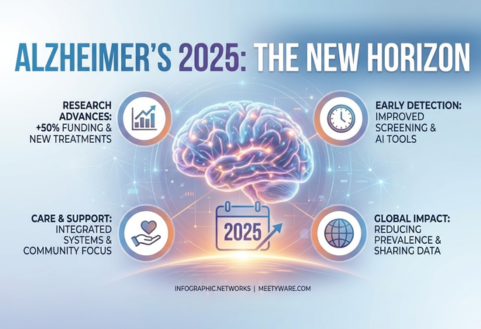
Alzheimer’s 2025: The New Horizon
ReComune
Updated on: 26 Feb 2026

A lot of families have the same quiet frustration: grandparents feel left behind by technology, while younger family members assume “it’s easy” because they grew up with it. The truth is, the technology gap between generations isn’t about intelligence, it’s about exposure, comfort, and design. For seniors, new devices can feel fast, unfamiliar, and sometimes risky. At the same time, digital connection is becoming essential for healthy aging.
Strong social connection protects mental and physical health, and social isolation and loneliness can increase health risks, according to the CDC’s guidance on social connectedness (CDC). So bridging the gap isn’t just about teaching apps it’s about preserving independence, dignity, and belonging. This blog shares practical, senior-friendly ways to close that gap step by step while keeping safety and emotional comfort at the center.
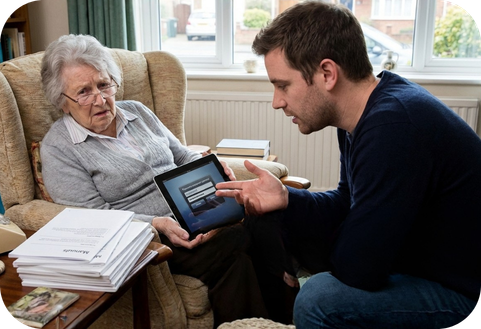
The technology gap exists for seniors largely due to differences in exposure, design, and confidence. Many older adults did not grow up using digital devices, so rapid technological change can feel overwhelming. While internet use among adults aged 65+ has steadily increased, adoption rates are still lower compared to younger generations (Pew Research Center, 2024). In addition, confidence with digital skills tends to decline with age, even when devices are available (AARP, 2024). Accessibility challenges such as vision changes, reduced dexterity, and cognitive shifts further widen the gap, making thoughtful, age-friendly design essential.
Many apps assume perfect vision, quick taps, and familiarity with icons. For seniors living with arthritis, low vision, or mild cognitive changes, that can be exhausting.
AARP’s tech research shows many older adults are using devices, but confidence in digital literacy tends to drop with age especially among those 70+ (AARP). That means the biggest barrier is often fear of “messing something up,” not the actual steps.
Older adults are often targeted by scams. The FTC has reported large and rising fraud losses among older adults, underscoring why scam awareness must be part of any tech-learning plan (FTC).
If tech training starts with “Click this, then click that,” seniors may comply but they won’t feel motivated. Instead, connect technology to something meaningful:
When technology has emotional value, practice becomes easier to stick with.
Trying to teach everything at once overwhelms most seniors. Start with a small set of wins that improve daily life:
This approach matches what senior-support organizations recommend: keep learning practical and simple, and build gradually. Resources like the National Institute on Aging’s toolkit can help guide basic learning topics for older adults (NIA toolkit).
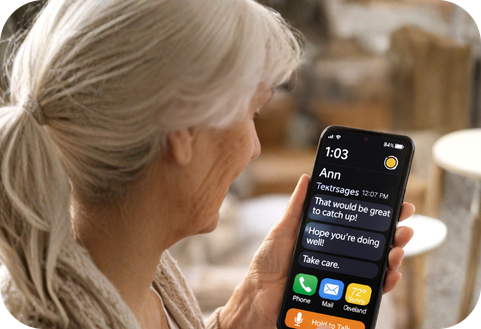
Before teaching apps, adjust settings so the phone works with the senior, not against them:
This is one of the fastest ways to reduce frustration.
Here’s the biggest intergenerational mistake: teaching like a test.
Avoid:
Try:
Tone matters. Seniors often remember how the interaction felt more than the steps themselves.
A simple learning loop works extremely well:
This builds confidence and makes learning stick.
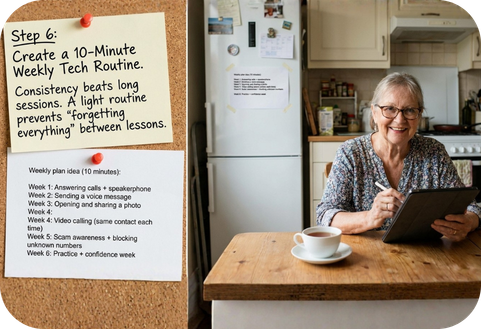
Consistency beats long sessions. A light routine prevents “forgetting everything” between lessons.
Weekly plan idea (10 minutes):
Programs and organizations focused on older adult digital inclusion emphasize structured practice and accessible support (NCOA resource hub).
Seniors deserve connection but also protection.
Teach these basics early:
This matters because older adults are frequently targeted by fraud, which is why the FTC regularly publishes updates on protecting older consumers (FTC).
Younger people often communicate in short bursts texts, quick reactions, short video calls. Many seniors still value longer phone calls and slower conversations.
Here’s a healthy compromise:
This supports the broader idea that social connection is a key driver of health outcomes, as emphasized by public health guidance (CDC).

A quiet but powerful shift: stop framing tech learning as catching up.
Instead, frame it as:
Also celebrate small wins:
Confidence grows when progress is recognized.
Helpful supports include:
And if seniors are willing, direct them to age-friendly guides like the National Institute on Aging’s technology toolkit (NIA).
Digital platforms and AI companions are emerging as valuable tools to support seniors in staying socially connected and mentally engaged. As internet use among adults aged 65+ continues to grow technology is increasingly becoming part of daily life (Pew Research Center, 2024). AI-powered companions can provide conversation, reminders, and gentle engagement, helping reduce feelings of isolation. Given that social connection plays a key role in overall health and well-being (CDC, 2024), thoughtfully designed digital platforms can complement family interaction and create safe, accessible spaces for seniors to connect.

Even with family support, seniors can feel isolated especially at night, after losing a spouse, or when mobility limits social activity. That’s where the right platform can make a difference.
ReComune is built to help seniors feel connected in a safe space that’s non-judgmental and designed to be scam-aware which matters given how often older adults are targeted online (FTC).
Key ways ReComune helps:
This aligns with public health emphasis that improving social connection can reduce health risks related to isolation (CDC).
Bridging the technology gap between generations is not really about devices it’s about dignity, patience, and connection. When seniors feel supported instead of rushed, technology becomes less intimidating and more empowering. A simple video call, a shared photo, or the ability to recognize a scam message can restore confidence and independence. It’s also important to remember that learning works best when it feels safe and encouraging.
Gentle guidance, repetition without frustration, and celebrating small milestones make a lasting difference. Over time, what once felt confusing can become familiar. Most importantly, technology should never replace human warmth it should strengthen it. When used thoughtfully, digital tools can help seniors stay connected, protected, and engaged in a rapidly changing world.